Many windows, one panel
Add and identify each game client without getting lost in titles and processes.
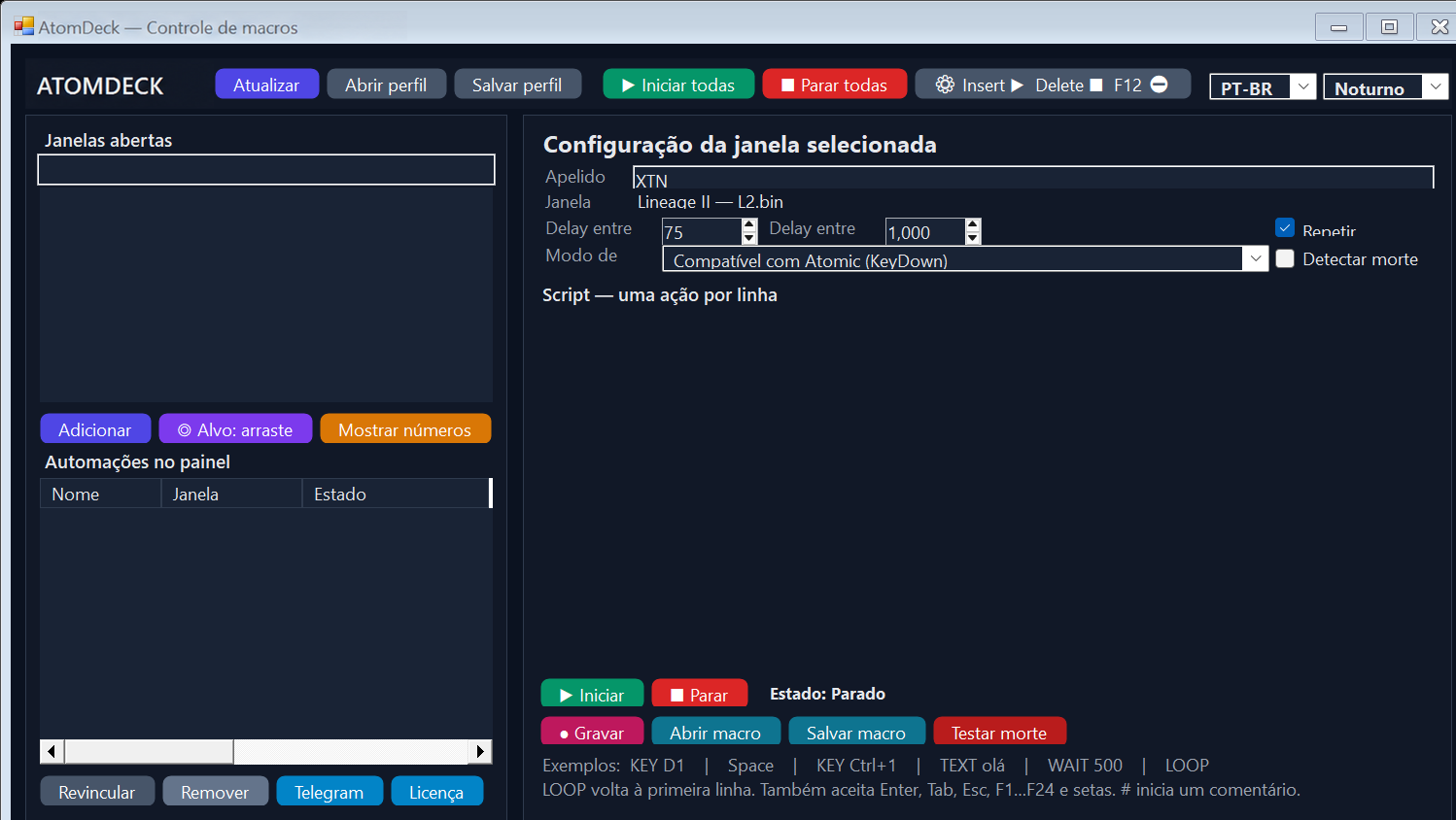
Run independent scripts across multiple game windows, save profiles, and react fast — without turning your desktop into chaos.
Independent control
A dedicated script for every window
Protected licensing
Server-recorded trial
Secure payment
Processed by Stripe
Ready worldwide
Portuguese, English, Russian
Built for real multiboxing
Everything you need to organize repetitive routines while keeping each window independent.
Add and identify each game client without getting lost in titles and processes.
Use KEY, TEXT, WAIT, and LOOP. Every window gets its own sequence and timing.
Keep your setup, reuse macros, and restore your session with less work.
Start, stop, or interrupt everything quickly with configurable Insert, Delete, and F12.
Once a death is confirmed, only that window's macro stops and its status changes.
Get an optional notification with the alias, window, and time when a death is detected.
Start in minutes
Launch the game clients and open AtomDeck.
Drag the target onto each window, choose a script, and set the timing.
Run one or all automations. Scripts are validated before they begin.
Real demonstration
A real app recording showing how to add windows, configure scripts, control routines, and test the features.
The AtomDeck advantage
When death is confirmed, AtomDeck stops only that macro, plays a local warning, and sends the details to your Telegram — even while you are away from the computer.
Open BotFatherAtomDeck Alerts
Telegram bot • now
Example alert delivered to your phone
🚨 CHARACTER DEATH DETECTED
Automation: Mokuro Window: Lineage II The automation has been stopped. Time: 2026-10-07 22:14:08
In Telegram, search for @BotFather and verify its checkmark. Send /start to open the official bot-creation commands.
Send /newbot. Choose a display name, then a unique username ending in bot, such as MokuroAlertsBot.
BotFather returns a value similar to 123456:ABC…. Copy it without spaces, treat it like a password, and never publish it.
Open the new bot, press Start or send /start, then send a short message such as test so Telegram creates an update.
In AtomDeck, click Telegram, paste the token, and select Find Chat ID. Confirm the conversation name before continuing.
Click Send test and confirm delivery. Enable Send an alert when death is detected, then click Save. The token and Chat ID remain on this computer.
If no Chat ID is found, send /start and a new message to the bot, wait a few seconds, and click Find Chat ID again.
Before and after
Simple pricing
Card
How to buy: download and open the app, choose Card — €1.99, and complete Stripe Checkout. The license is linked to this computer automatically.
Download for WindowsOne-executable ZIP • version 2.8.4
Frequently asked questions
No. Payment happens on Stripe Checkout. AtomDeck only receives the server-confirmed license status.
The current license is linked to one computer. Each computer gets its own trial and needs its own activation.
Yes. During the trial, a discreet sponsored strip appears at the bottom. It disappears automatically after paid or administrator activation.
KEY sends keys, TEXT types text, WAIT pauses, and LOOP restarts the sequence. Ctrl, Shift, and Alt combinations are also supported.
No. It works through Windows windows and messages. Some games may ignore background input; always check your server rules.
Only that window's macro stops. The app updates its status, plays an alert, and can notify you through Telegram.
Download the portable app and try every feature free for 5 days.
Download for Windows